Home energy manager · self-hosted on a Raspberry Pi

Charge when it's cheap.
Carry the house when it's not.

PowerPilot is built for people who built their own battery. It reads your cells directly, prices every half hour against the tariff you're actually on, and plans the day so you're never guessing what the battery should be doing.

Re-planned every 30 min Costed at the rate in force, not an average History & config stay on the Pi
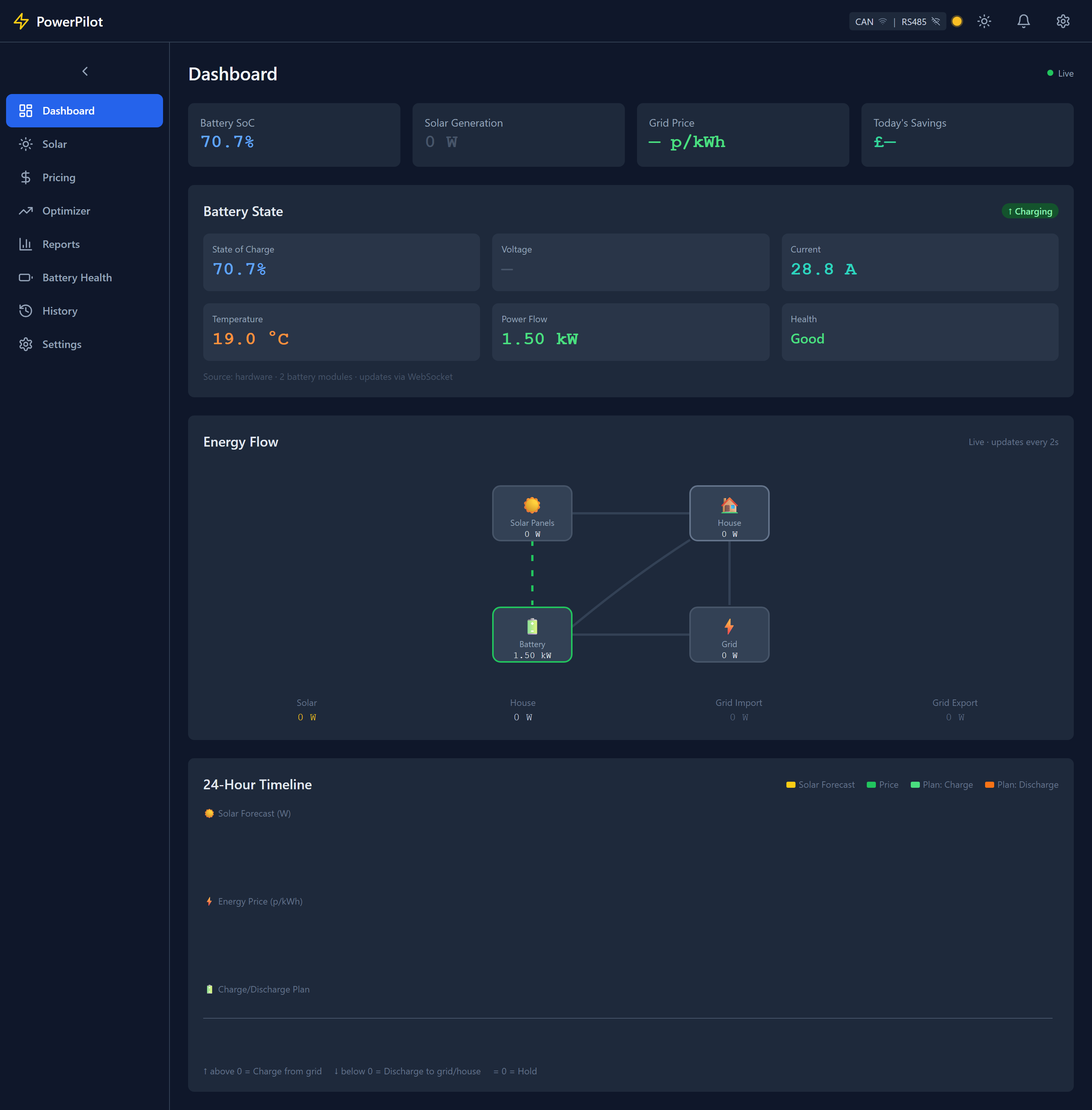
PowerPilot dashboard showing battery state of charge, live energy flow between solar, battery, house and grid, and a 24-hour charge/discharge timeline.
LIVE DASHBOARD UPDATES OVER WEBSOCKET
The planner

An exact solver, not a pile of if/thens.

Most battery controllers run a handful of rules: charge below a price, discharge above it. PowerPilot instead solves an optimisation problem over every half-hourly slot in the next day or two — your tariff, your measured load profile, the solar forecast — and picks the sequence of charge, hold and discharge that gets the house through for the least money. It re-solves every half hour, so a forecast that changes, or a price you didn't expect, gets folded into the plan before it costs you anything.

Solar forecast Price, p/kWh Plan: charge Plan: discharge
Illustrative — a winter weekday, solved over 48 half-hourly slots
What it does

Everything the plan needs to be right, not just plausible.

Each feature exists because getting it wrong is expensive, or dangerous, or both.

Pricing

Costed at the price in force

Every hour is charged at the rate that applied during it, never a period average. On a time-of-use tariff that's the difference between a bill and a guess.

Tariffs

Comparison that re-plans

Each candidate tariff is re-optimised over the energy your house really used, standing charges included on every side — the best time to charge is a property of the tariff.

Weather

Storm reserve

A severe-weather forecast raises the reserve for the window; the planner buys that energy at the cheapest point before it and reports what the insurance cost.

Battery health

From measurements, not guesses

Cycle counts, cell balance and per-cell internal resistance where the BMS reports them. Capacity comes from a real deep discharge, or is reported unknown — never inferred from a cycle count.

Safety

Protection with watchdogs

Per-bank voltage, cell and temperature limits, translated into the current limits the inverter is actually told to obey.

Dashboard

Live energy flow

Animated flow between solar, battery, house and grid over WebSocket, with history and reports by day, week and month.

Integration

Home Assistant, no YAML

Site, per-bank and per-inverter state published to MQTT with discovery, so entities just appear. MQTT is an input too — a meter or price feed on your broker becomes a source like any other.

Alerts

Errors, warnings, opportunities

Every alert carries the reason it fired attached to it — not just that something changed, but why it mattered.
Multiple banks, multiple inverters

PowerPilot plans a site, not one inverter.

Configure a battery source per bank and an inverter per output, and PowerPilot links them so two ways of measuring one battery are never counted as two batteries. The optimiser plans for the site as a whole, then splits the result across inverters in proportion to the capacity each is responsible for — so banks track each other's state of charge instead of drifting apart.

SOURCEA bank of cells and whatever measures it — a shunt, a comms node, or Modbus BMS addresses. Owns its own protection rules.
INVERTEROne controlled output: the bank it draws from, the interface its frames go out on, its own power rating.
LINKA (source, interface) pair — what actually runs a sender loop, so two transmitters never fight on the same bus.
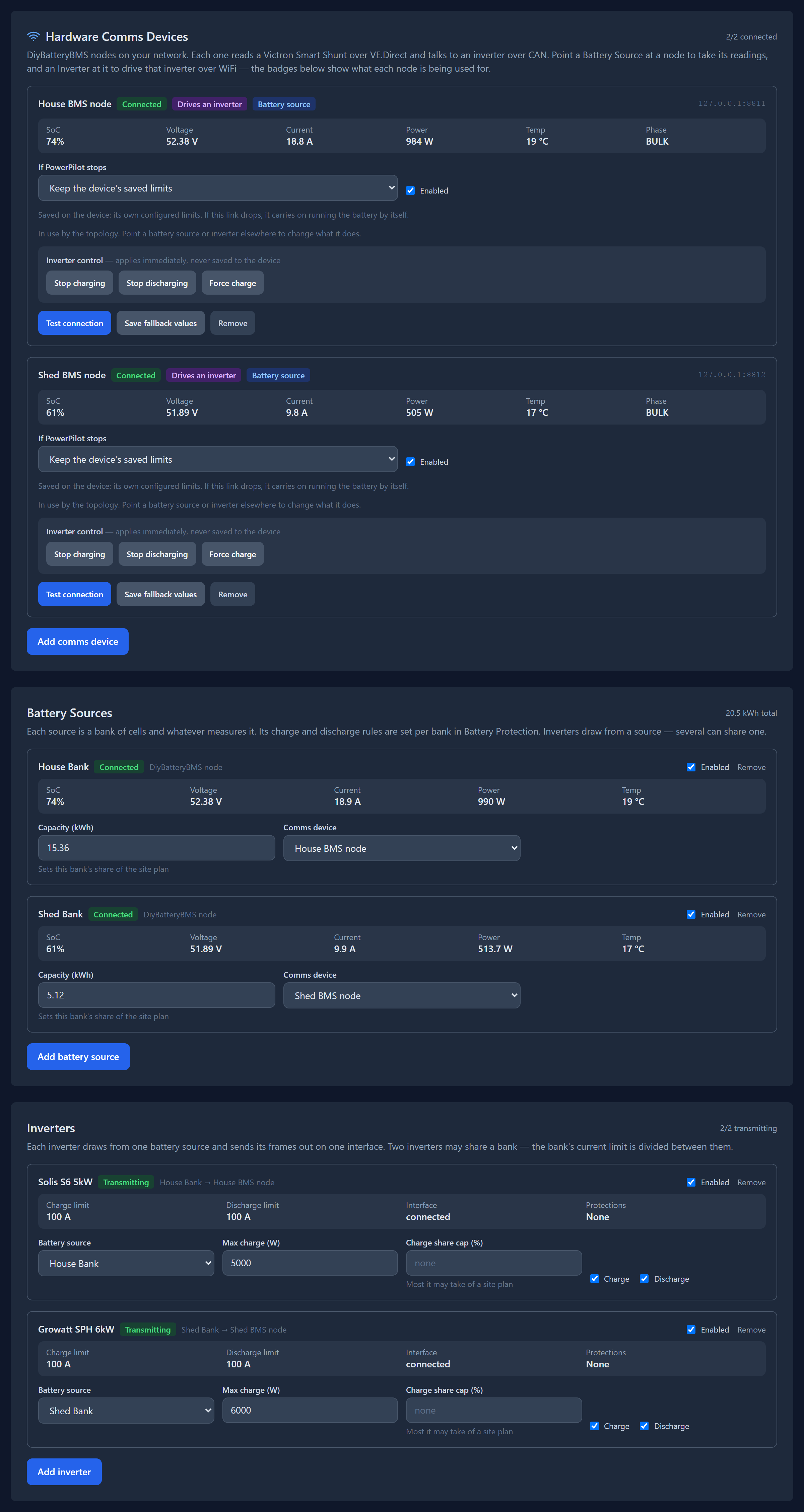
PowerPilot settings page showing hardware comms devices and battery sources, each bank's state of charge, voltage, current and capacity.
SETTINGS — HARDWARE & BANKS 2 BANKS · 2 INVERTERS
Supported hardware

Every driver states how far it's actually been proven.

These protocols are documented unevenly, and a wrong decode is worse than none — it's plausible, and it gets acted on. Verified means checked field by field against the device's own display. Needs verification means written from documentation and never run against the real thing.

Battery management systems

JK BMS (PB series)Verified
DiyBatteryBMS nodeVerified
JK BMS (native protocol)Needs verification
JK BMS (Modbus variant)Unverified
Daly Smart BMSDocumented, untested
Seplos / MasonNeeds verification
Victron SmartShunt / BMVNeeds verification

Inverters

Pylontech v1.2 / v1.3
to the inverter
Verified
Solis hybrid (RHI, S5-EH, S6)
from the inverter
Verified
Solis string invertersNeeds verification
GrowattUnverified

Prices — Octopus Energy (UK), ENTSO-E day-ahead (Europe), Tibber (Nordics, DE, NL), aWATTar (DE, AT), Amber Electric (Australia), any MQTT feed, or a manual tariff typed in by hand. Forecasts — Solcast for solar, per roof plane; Open-Meteo or the Met Office's blended probabilistic forecast for weather.

Where it stands today

  • Four of the seven battery drivers have never seen hardware. They ship because someone with that battery can confirm one in an afternoon — not because they're finished.
  • Writing time-of-use schedules isn't implemented yet — schedules are read only.
  • Per-bank history is still site-level: history and reports roll a multi-bank site together.
Self-hosted

Runs on your Pi. Stays on your network.

History and configuration stay on the Pi. The only outbound calls are the ones you configure — a price feed, a forecast, your MQTT broker. Nothing about your battery leaves your network unless you wire it there yourself.

Needs a Raspberry Pi 3B+ or 4 (or any Debian host), and at least one way to reach your hardware — a CAN interface, an RS485 adapter, or an MQTT broker / DiyBatteryBMS node on your WiFi.

# clone and start the dashboard
git clone <your-repo-url>
cd powerpilot
./init.sh --build-ui

# dashboard is now at
http://<your-pi>:8000